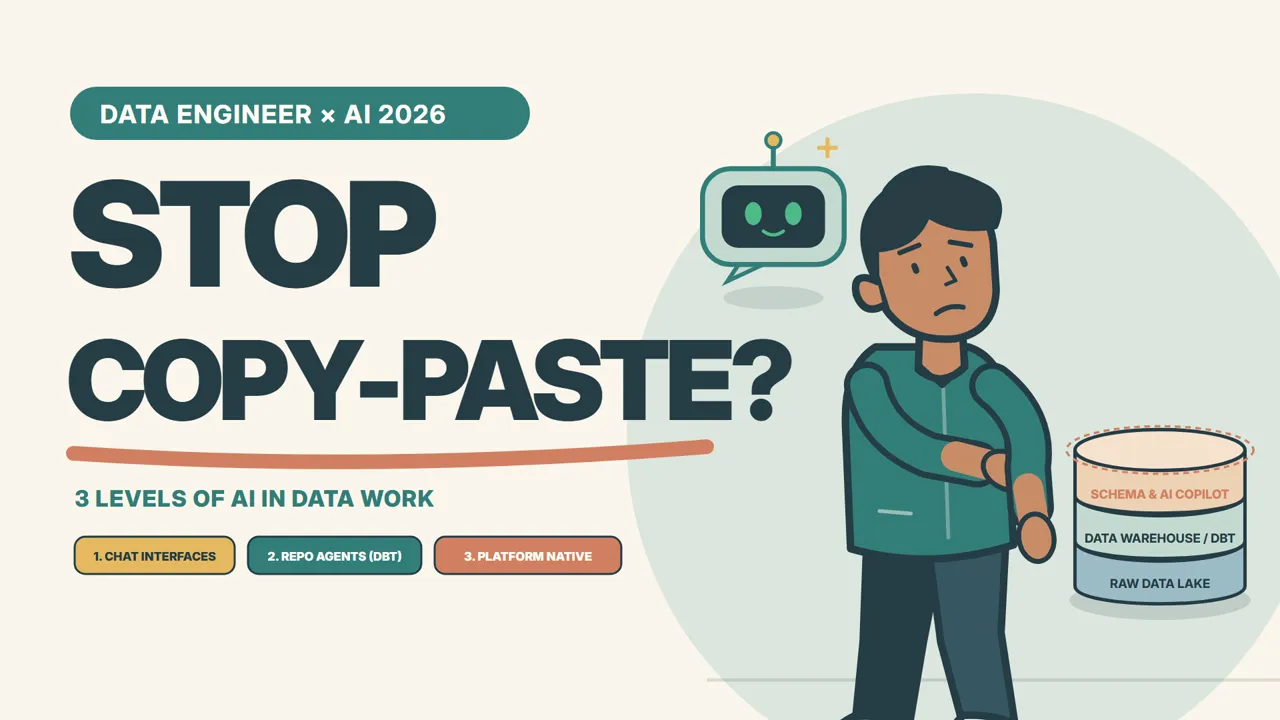
Prefer watching? Watch "Stop Copy-Pasting SQL from ChatGPT in 2026! (The 3 Levels of AI for Data Engineers)" on YouTube. The video is narrated in English.
If you are still opening ChatGPT in a browser tab to copy and paste SQL queries in 2026, it is time to stop.
We have all done it at some point. You paste a sample of dirty data into a chat window, ask it to write a tricky join or a window function, copy the output, and run it against your warehouse. And then you wait.
Sometimes it fails immediately: a column does not exist, or a table name was hallucinated out of thin air. But the scarier outcome is when it does not fail. The query executes cleanly, performs a naive cross-join under the hood, runs for twenty-five minutes, and burns through $500 in cloud compute credits before anyone notices the table grain was multiplied three times over.
Modern data pipelines are not standalone SQL scripts. They are multi-stage directed acyclic graphs (DAGs) with dbt models, partition pruning keys, upstream freshness SLAs, and live metadata catalogs.
When you treat AI as just a browser chat prompt, you force yourself to act as a manual bridge between the model and your codebase. In 2026, high-performing data engineers do not just "prompt." We categorize AI into three operational tiers based on context boundary. Here is what that map looks like in practice.
Level 1: Standalone Chat Interfaces (Ad-Hoc Exploration)
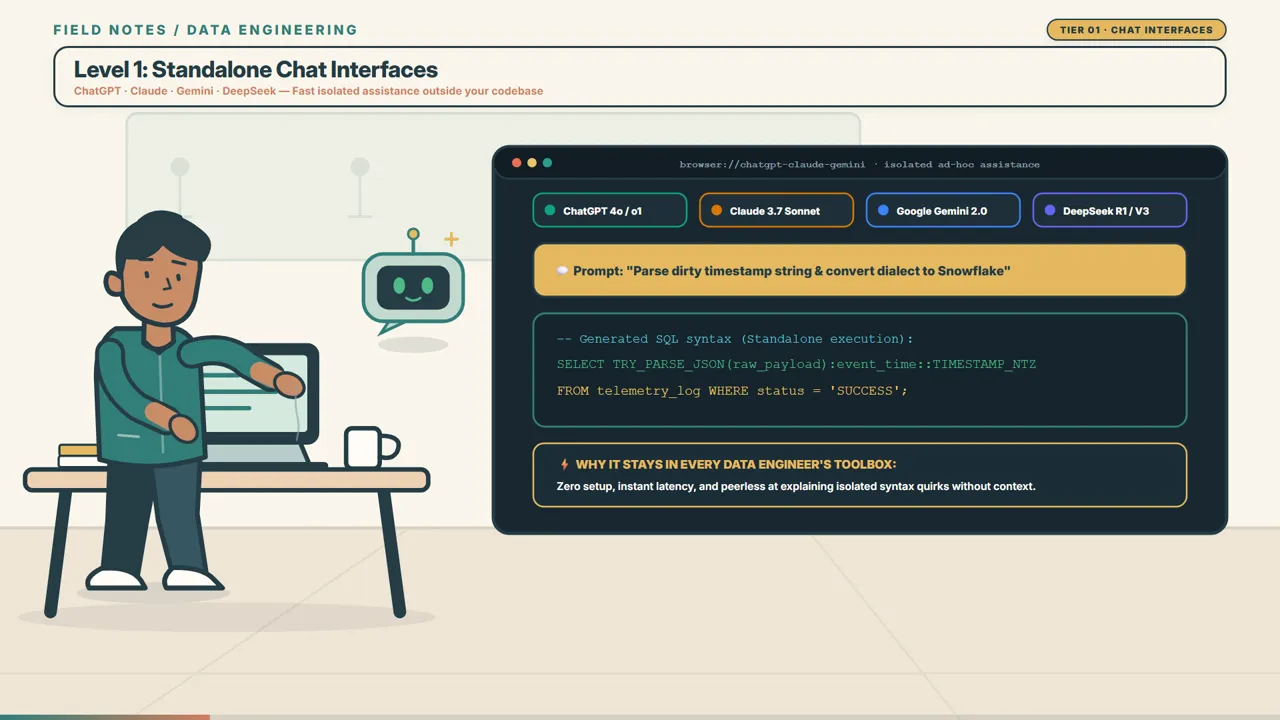
Level 1 is where everyone started: web interfaces and standalone API playgrounds like ChatGPT, Claude, Google Gemini, and DeepSeek.
I still keep a chat tab open every day. Tier 1 remains an indispensable scratchpad for isolated, context-free exploration. It excels at three very specific tasks:
- Crafting complex regular expressions: Writing a gnarly POSIX or PCRE regex to extract nested transaction codes from unstructured text strings. A chat model solves in twenty seconds what used to take twenty minutes of regex debugger tweaking.
- Dialect translation: Converting obscure syntax across engines. If you are migrating a legacy PostgreSQL view to Snowflake or BigQuery, a chat model handles functions like
SPLIT_PART,DATE_TRUNC, or array manipulation with high accuracy. - Explaining legacy spaghetti queries: Pasting a 300-line monster query written by a contractor who left three years ago and asking: "What is the business logic here, and what assumptions are made about nulls?"
The Level 1 Ceiling: Schema Blindness
Despite its utility, Level 1 has a hard ceiling: it is completely blind to your production environment.
A browser chat prompt does not know your database schemas. It does not know whether your customer dimension uses user_id or customer_pk. It has never seen your dbt configuration, your warehouse partition keys, or your company's data modeling standards.
Every time you rely on Level 1, you are responsible for feeding context, verifying assumptions, and copying code back and forth. That human bridge is where subtle production bugs sneak in.
There is also an uncompromising security boundary: never paste sensitive production data or proprietary schemas into unvetted public chat interfaces. Level 1 is a scratchpad for syntax, not an environment for production pipeline development.
Level 2: Whole-Repo IDE and CLI Agents (Codebase Context)
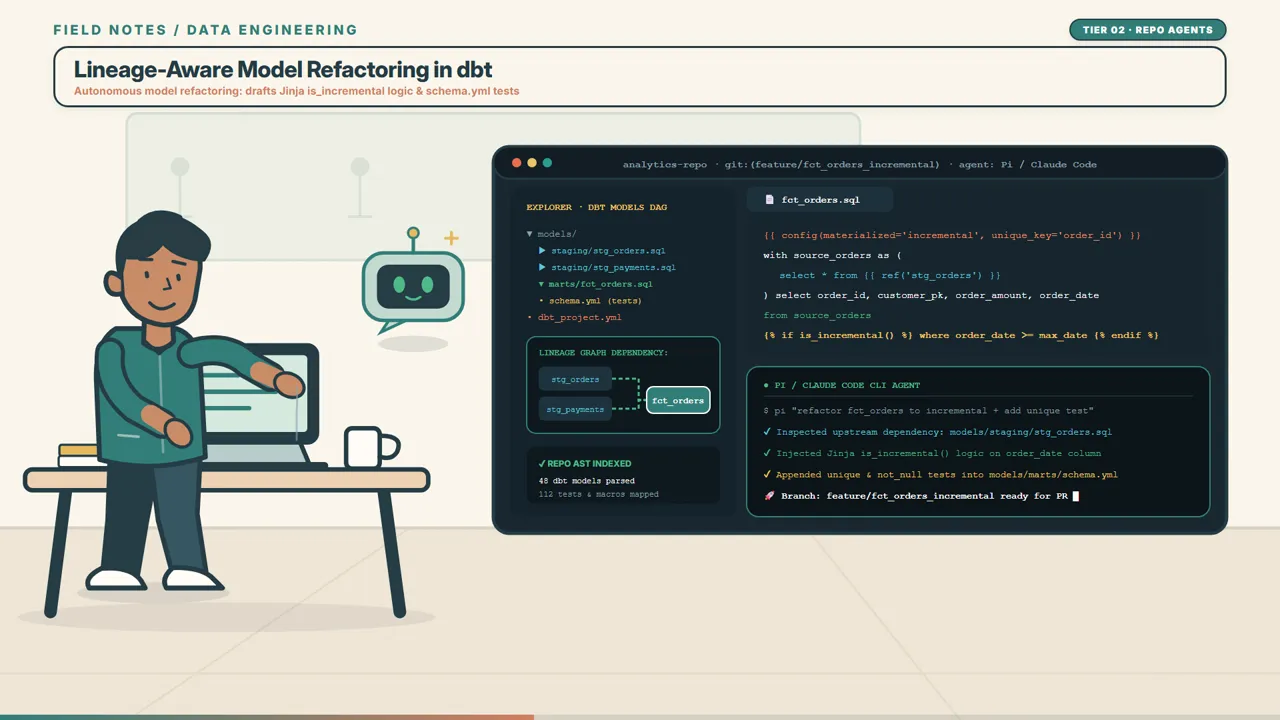
Level 2 is where AI stops being a conversational novelty and begins functioning like a junior data engineer sitting beside you in your repository. This includes IDE-integrated agents and terminal tools like Cursor, Claude Code, Codex CLI, and local harness agents like Pi.
The defining difference between Level 1 and Level 2 is the context boundary.
Instead of seeing only the prompt you type, a Level 2 agent indexes your entire Git repository. It reads your dbt_project.yml, parses your staging and marts directories, checks schema YAML files, and understands your model DAG lineage.
Refactoring in Practice
Consider a common data engineering task: refactoring a staging view into an incremental table.
In Level 1, you would copy the view definition, explain your warehouse type, paste the target table schema, and manually merge the generated SQL into your project.
In Level 2, you point the agent to the file and issue a single instruction:
"Refactor
fct_ordersfrom a full-refresh table into an incremental model partitioned byorder_date. Follow our team conventions inAGENTS.md."
Because the agent has full repository context, it executes a complete workflow:
- It checks the upstream
stg_ordersmodel to confirm column names and primary keys. - It wraps the new logic in a Jinja incremental block with proper filter thresholds:
{{
  config(
    materialized = 'incremental',
    unique_key = 'order_id',
    incremental_strategy = 'merge',
    cluster_by = ['order_date']
  )
}}

select
    order_id,
    customer_id,
    order_date,
    order_status,
    total_amount,
    updated_at
from {{ ref('stg_orders') }}

{% if is_incremental() %}
  where updated_at >= (select coalesce(max(updated_at), '1970-01-01') from {{ this }})
{% endif %}
- It updates
schema.ymlto ensureuniqueandnot_nullgeneric tests are configured for the primary key. - It runs local linting (
sqlfluff lint) to conform to repository formatting rules. - It stages the changes, creates an atomic Git commit, and drafts a pull request with documented lineage changes.
You are no longer copy-pasting raw snippets. You are conducting code reviews on pull requests generated by an assistant that understands your DAG.
Level 3: Platform-Native Agents (Live Engine Context)
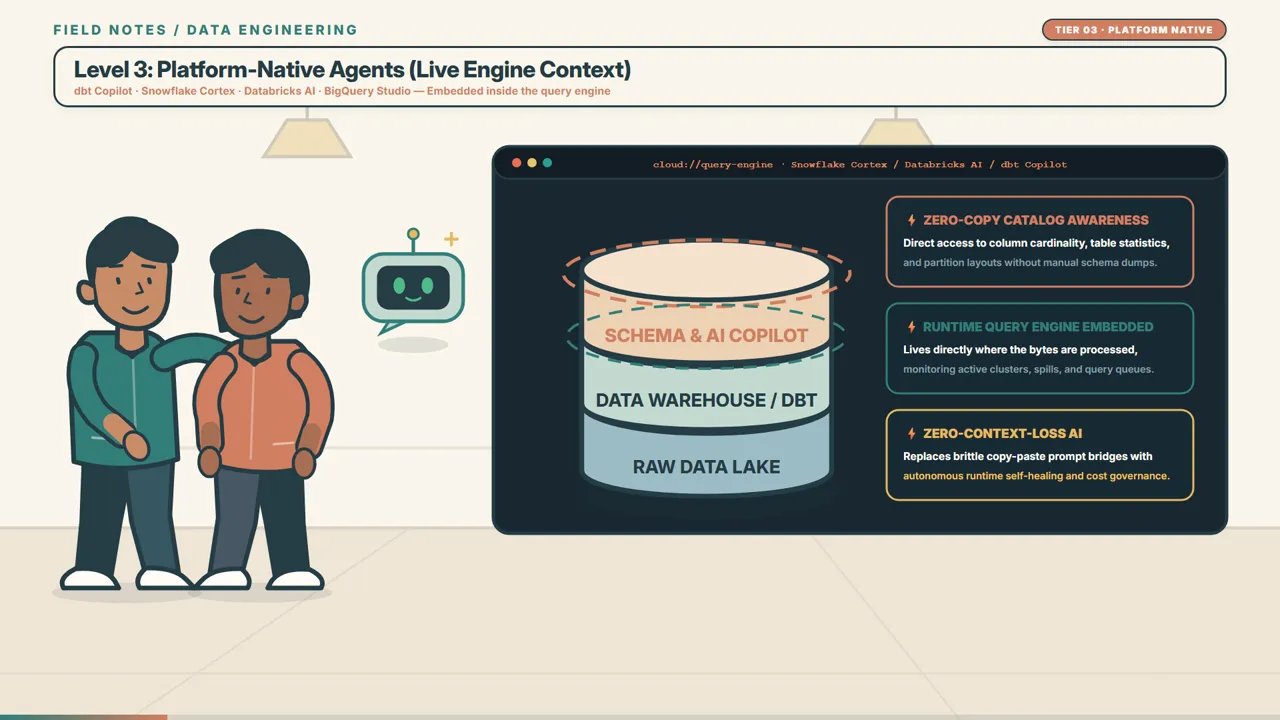
Level 3 represents the modern frontier of analytical data platforms. These are agents embedded directly inside your cloud data platform: dbt Copilot, Snowflake Cortex, Databricks AI Assistant, and BigQuery Studio Intelligence.
While a Level 2 agent understands your static code repository, it remains blind to what occurs at runtime. It cannot see warehouse execution telemetry, table cardinality, or compute credit burn.
Platform-native agents live where the bytes are processed. They have zero-copy, direct access to your live data catalog, query execution profiles, and runtime logs.
graph TD
  subgraph L1 [Level 1: Chat Interfaces]
    Prompt[Browser Prompt] -->|Blind to Schemas| Manual[Manual Verification]
  end

  subgraph L2 [Level 2: Whole-Repo Agents]
    Git[Git Repo & dbt DAG] --> Agent[Cursor / Claude Code / Pi]
    Agent --> PR[Linted Pull Request]
  end

  subgraph L3 [Level 3: Platform-Native Agents]
    Engine[Snowflake / Databricks / BigQuery] --> Native[Cortex / Databricks AI]
    Catalog[(Live Catalog & Telemetry)] --> Native
    Native --> Telemetry[Runtime Error Auto-Fix & Cost Tuning]
  end
Two Real-World Superpowers
- Runtime Incident Diagnosis at 3:00 AM: An overnight ELT job fails when an upstream marketing ingestion pushes an unannounced string into an integer revenue column. Instead of leaving you to dig through thousands of lines of stack traces, a platform-native agent analyzes warehouse execution telemetry, identifies the schema mismatch at row 412,000, and proposes an in-place
TRY_CASThotfix directly inside the query console. - Execution Profiling and Cost Governance: A query running against a multi-terabyte event log starts consuming abnormal warehouse credits. A platform agent profiles the execution plan, identifies sixteen unpruned micro-partitions caused by a misplaced timestamp filter, rewrites the partition pruning expression, and reduces compute credit consumption by over 40% on the spot.
This is zero-context-loss engineering. The intelligence is collocated with the compute engine.
The 2026 AI Decision Matrix
How should a data team allocate work across these three tiers? Here is the framework I use:
| Tier | Primary Tools | Context Boundary | Superpower | Best Used For |
|---|---|---|---|---|
| Level 1: Chat | ChatGPT, Claude, Gemini, DeepSeek | Single prompt window | Ad-hoc syntax generation | Complex regex, dialect translation, legacy query analysis |
| Level 2: Repo Agents | Cursor, Claude Code, Codex CLI, Pi | Git repository & dbt DAG | Whole-codebase lineage awareness | Incremental refactoring, test suites, automated pull requests |
| Level 3: Platform Native | dbt Copilot, Snowflake Cortex, Databricks AI | Live warehouse engine & catalog | Zero-copy runtime telemetry | 3 AM pipeline failures, partition tuning, credit cost reduction |
Maximizing What Your Team Has
Being a high-performing data team in 2026 does not mean buying every tool or forcing all three tiers into your stack. Tool proliferation creates fatigue, not efficiency.
High performance is about ruthlessly extracting leverage from whatever tier you currently have access to:
- If your team operates on a lean budget with open-source tools (Postgres, DuckDB, ClickHouse, self-hosted dbt): You do not need expensive cloud enterprise add-ons. By combining Level 1 for quick scratchpad exploration with Level 2 repo agents and clear repository instructions (
AGENTS.md, strict schema definitions, CI linters), you can build reliable pipelines with complete lineage integrity. - If your organization already pays for Snowflake, Databricks, or dbt Cloud: High performance means actively utilizing those built-in engine features instead of letting engineers burn compute credits on unoptimized queries while copy-pasting from a browser tab.
From Prompting to Context Architecture
The job of a data engineer has not disappeared in the AI era. If anything, the boundary between working pipelines and expensive production incidents has become sharper.
When you stop treating AI as a browser chat box and start treating it as a tiered system of context boundaries—from syntax scratchpads to repository agents to live engine telemetry—you spend far less time debugging preventable mistakes and far more time designing durable data architectures.
Where does your team sit on this map today? Are you still mostly copy-pasting from chat tabs, or have you wired agents into your repository and warehouse?
Watch the full video breakdown on YouTube: Stop Copy-Pasting SQL from ChatGPT in 2026! (The 3 Levels of AI for Data Engineers).